Interactive Grid: Automatic Position Number
von Tobias Arnhold
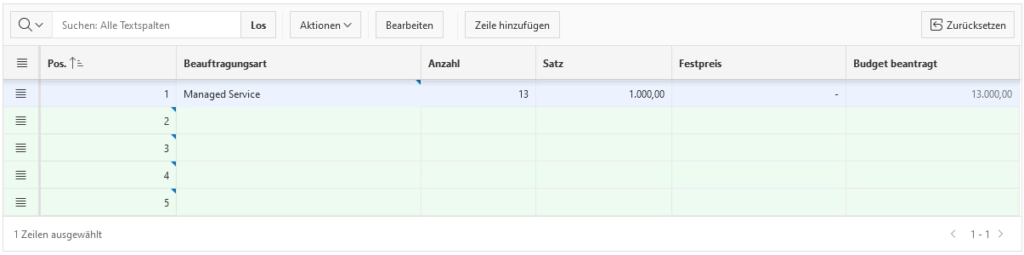
Create a new hidden “POSITION” item. During startup select the current max position value into that item. Add a Dynamic Action doing the magic inside your Interactive Grid.
Hidden Item:
P1_CURRENT_POSITION_VALUE
Settings > Value Protected: No
Computation or Before Header Process:
select
   nvl(max(position), 0)
into
   :P1_CURRENT_POSITION_VALUE
 from YOUR_TABLE
where id = :P1_ID;
Interactive Grid
Column Name: POSITION
Type: Number Field
This column must be the first column in your IG.
Dynamic Action Event: Row Initialization [Interactive Grid]
Selection Type: Region
Region: Your Interactive Grid RegionTrue Action: Set Value
Set Type: JavaScript Expression
( $(this.affectedElements[0]).val() ? $(this.affectedElements[0]).val() : $('#P1_CURRENT_POSITION_VALUE').val(parseInt($('#P1_CURRENT_POSITION_VALUE').val(),10)+1).val() )Affected Elements
Selection Type: Column(s)
Column(s): POSITION
Zuerst erschienen auf apex-at-work.blogspot.com