Interactive Report: Column background color
von Tobias Arnhold
One of my customers needed an IR where half of the report columns should be visualized in another color.
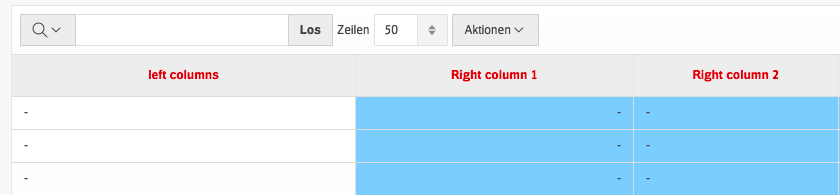
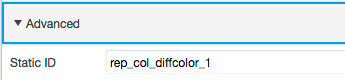
It is really easy to integrate. Go into the report column attributes inside your “Page Designer” and add a “Static ID” for each column:
Column 1:
rep_col_diffcolor_1
Column 2:rep_col_diffcolor_2
…
Now add this CSS snippet inside the page attributes:
.a-IRR-table tr td[headers*="rep_col_diffcolor_"]
{
    background-color: #99ccff;
}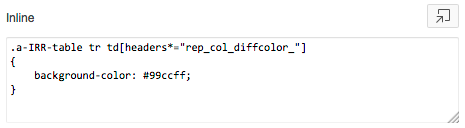
The trick is to address every element by searching for the start part of the “Static ID” name.
Zuerst erschienen auf apex-at-work.blogspot.com