Set the APEX application name for Dev, Test and Prod in the same database
von Tobias Arnhold
In case you have a small application where development, test and maybe also production environment are on the same database and your applications in this environment distinguish only by the application IDs. To set up a custom application name based on the ID you could do like this:
We assume our application name is “Training room app”, defined in Shared Components > User Interface Attributes.
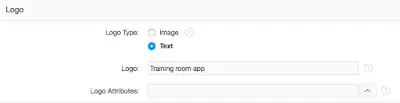
To differentiate the environments I add a dynamic action Page Load on Page 0. This dynamic action is executing custom JavaScript code:
if ('&APP_ID.' == '200') {
  $('.t-Header-logo').find('span').html('Training room app - <b style="color:#008A34">Test Environment</b>');
}
else if ('&APP_ID.' == '300') {
  $('.t-Header-logo').find('span').html('Training room app - <b style="color:#9366a5">Development Environment</b>');
}
The code is changing the name of the logo area.

Zuerst erschienen auf apex-at-work.blogspot.com